








Trading made easy
for beginners

Answer a few quick questions and see how simple signals can guide your trades

Have you traded before?

Not yet
I'm new to this
A bit
I know some basics
Yes
I've traded before

What's your main goal with trading?

Learn to trade
Understand the basics
Extra income
Side income from trading
Grow my account
Increase account size over time
Trade full-time
Make trading my job
Not sure yet

TradeEasy turns your goals into signals you can follow

TradeEasy maps every trade on your charts—so you always know what to do.
Continue

What would you like to see on your charts?

Entry signals
Signals showing when to enter trades
Take-profit levels
Exact targets for taking profits
Stop-loss levels
Predefined stop-loss to limit losses
Trend direction
A clear view of where price is heading
All of the above (recommended)

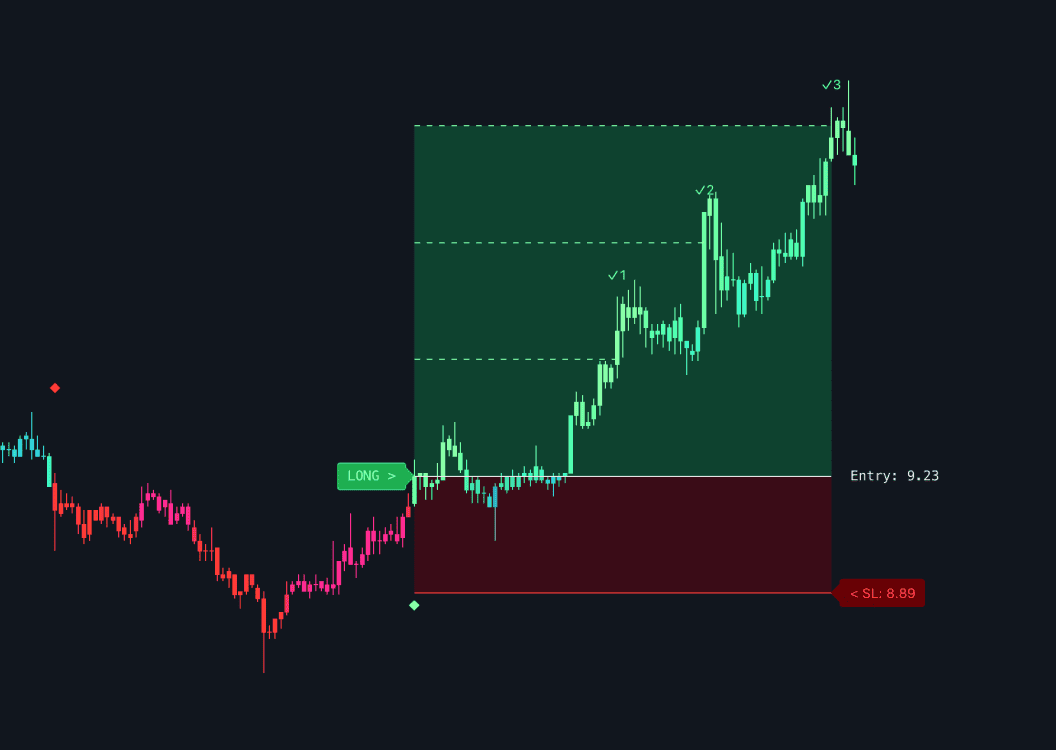
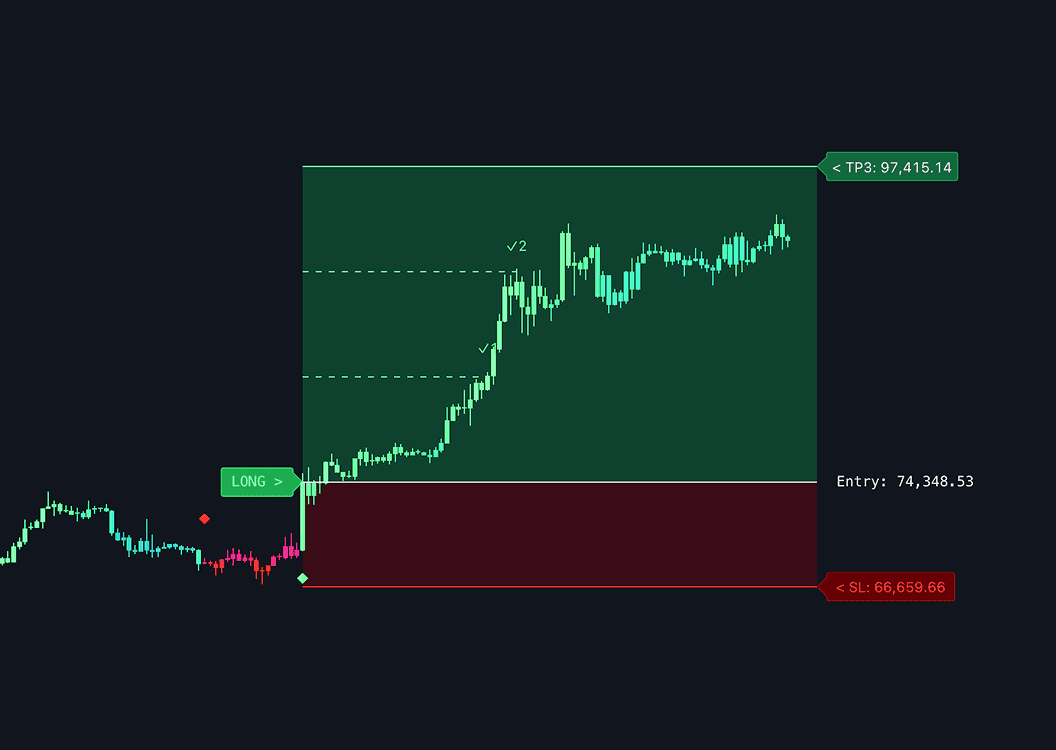
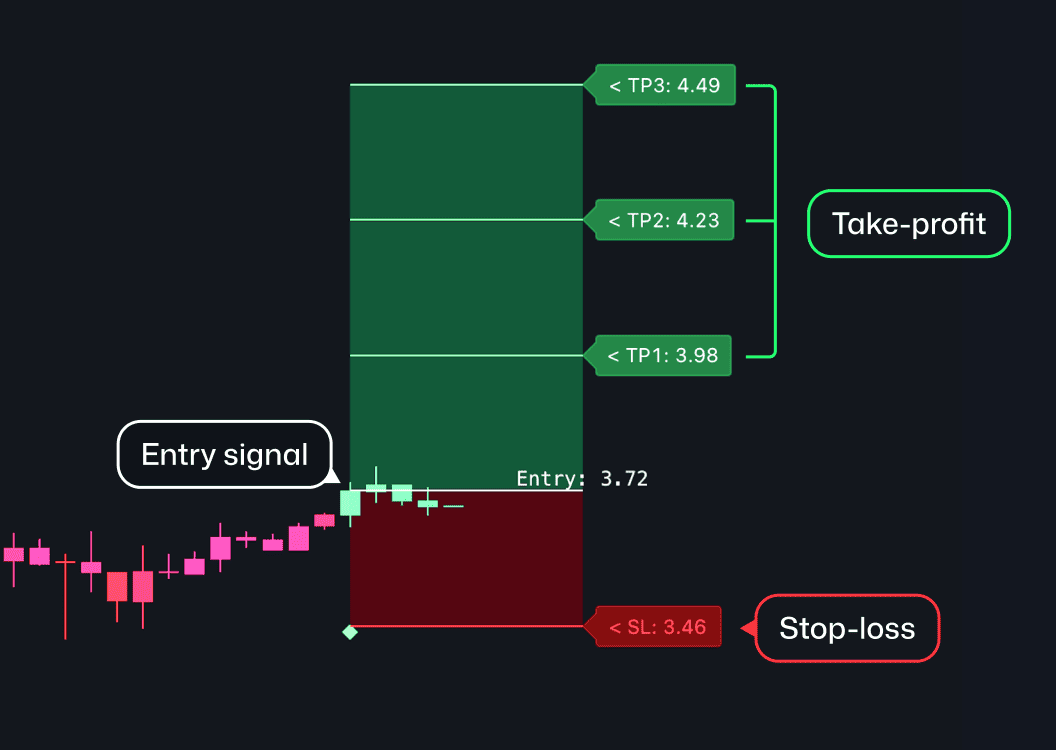
TradeEasy displays clear signals on your charts

Each signal includes
Entry Point
A signal indicating the exact level to enter a long or short trade
Take-Profits
Three exact price levels where you should take profits
Stop-Loss
The price level where you should exit the trade to limit losses
Continue

How often would you like to trade?

Very selective
Only the strongest trades
Balanced (recommended)
A mix of quality and frequency
Very active
More trades, more opportunities

What would you like to trade?

Crypto
Stocks
Forex
Indices
Commodities
Open to anything

TradeEasy works with every asset on TradingView

Crypto
Stocks
Indices
Commodities
Forex
All assets on TradingView
Continue

Which device would you prefer to trade on?

Desktop
Mobile
Both
Not sure yet

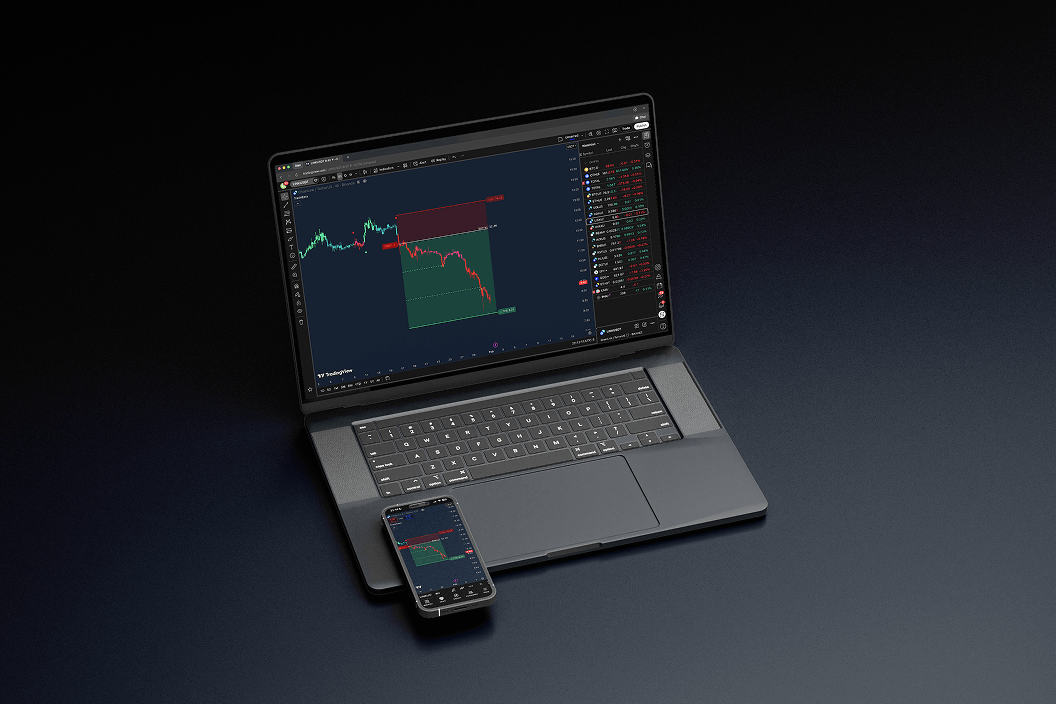
TradeEasy works seamlessly on any device

TradeEasy runs inside TradingView, so your signals stay synced across desktop and mobile.
Continue

What kind of market do you want to trade?

Rising markets
When prices go up
Falling markets
When prices go downs
Both
I want opportunities in any direction
I'm not sure yet
I want something simple

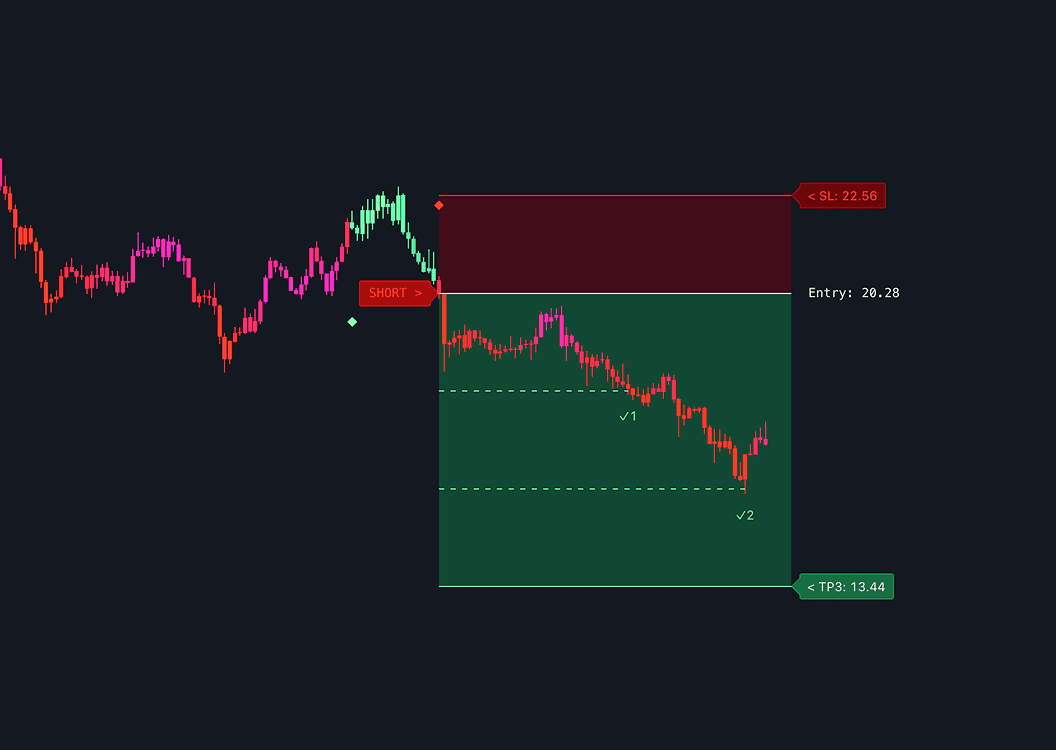
TradeEasy works whether price goes up or down

No matter how the market moves, TradeEasy delivers long or short signals based on what price is most likely to do.
Yes — you can capture profits even when prices are going down.
Continue

How do you usually decide when to enter a trade?

I analyze the charts
I study price and indicators
I follow other traders
I use signals shared by others
I go by feeling
I trust my intuition
I'm not sure yet
I don't have a clear method

What’s the hardest part of trading for you?

Knowing when to buy
I miss good entries
Knowing when to sell
I hold too long or exit too early
Risk control
Avoiding big losses
Everything
I'm not sure where to start

Other beginners felt the same — until they tried TradeEasy

“Honestly the simplest signals I’ve used. Entry, stop loss, take profits, all laid out. Can’t believe I didn’t try this sooner”
Bryan H.
“TradeEasy signals are a total game-changer for me. TP1 hits surprisingly often, and the stop-loss zones feel very safe.”
Jake R.
"The dashboard is clear, everything is visual, and I can follow trades without overthinking. It completely changed the way I trade.”
Maria S.
Continue

How much effort do you want to put into analysis?

Almost none
Let the tool do it
Very little
Quick checks only
Some effort
But keep it simple
Not sure yet
Still learning

What would make a trading tool feel right for you?

Beginner-friendly
Easy from day one
Straightforward
No unnecessary features
Visual
Everything on the chart
Low effort
Easy to follow
All of the above

If you can read this chart, you're ready for TradeEasy

Continue
Then all that’s left is placing the trade on your preferred broker or exchange.

Analyzing your answers...

Just a few seconds...
Binance
Coinbase
Gemini
Kraken
Crypto.com
MEXC
ByBit
Binance
Coinbase
Gemini
Kraken
Crypto.com
MEXC
ByBit
Gate.io
Kucoin
Bitget
Bitfinex
Etoro
Bitstamp
Robinhood
Gate.io
Kucoin
Bitget
Bitfinex
Etoro
Bitstamp
Robinhood

Get TradeEasy and receive your first signal right away

Monthly Plan
$67.00/mo
Full Access to TradeEasy Signals
Smart Channels Indicator
Flow Bands Indicator
Momentum Dashboard
Proven Guides and Strategies
24/7 Customer Support
Access on Mobile Devices
Quarterly Plan
30% OFF
$47.00/mo
Annual Plan
40% OFF
$40.00/mo

Easily find winning trades

TradeEasy analyzes the market in real time with algorithmic precision and gives you simple signals anyone can follow.
Entry signal (long or short)
Take-profit targets
Stop-loss level

Strong performance in all market conditions

No matter how the market behaves, TradeEasy provides reliable signals so you can trade confidently in both rising and falling markets.

Works with any exchange​

TradeEasy runs directly on TradingView, so no matter which exchange or broker you use, it works perfectly alongside it.
Binance
Coinbase
Gemini
Kraken
Crypto.com
MEXC
ByBit
Binance
Coinbase
Gemini
Kraken
Crypto.com
MEXC
ByBit
Gate.io
Kucoin
Bitget
Bitfinex
Etoro
Bitstamp
Robinhood
Gate.io
Kucoin
Bitget
Bitfinex
Etoro
Bitstamp
Robinhood

Real stories from real users

"The green and red labels make it so simple to know when to enter. I’ve been trading for a while, but following these signals has improved my results a lot.”
Liam T.
“TP3 hit twice this week which blew my mind. Usually I just aim for TP1, but the setups are really solid if you follow them”
Ryan P.
“TP1 hits pretty often, TP2 and TP3 sometimes feel like a bonus jackpot. The risk/reward setup is solid if you follow the signals”
Kevin K.

Extra tools, included for free

TradeEasy is built around clear buy and sell signals — that’s all you need to get started. When you’re ready, powerful additional tools are included for free.

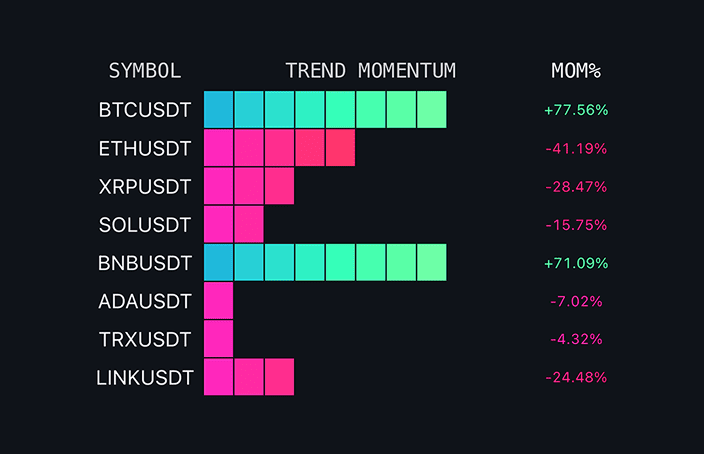
Momentum Dashboard

6,200+ active users

See the best trades at a glance — green blocks for strong buys, red for weak markets, and mixed colors for sideways action.

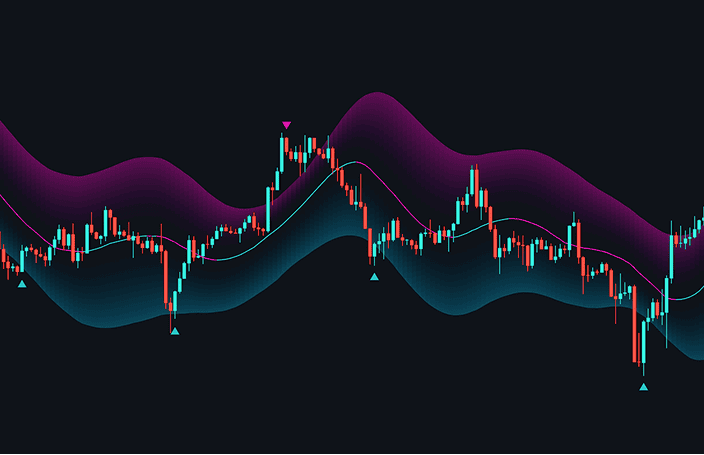
Flow Bands

7,500+ active users

Stay with the trend, no guessing needed. These adaptive bands track price in real time, showing when to buy, sell, or wait.

Smart Channels

5,800+ active users

These channels spot overbought and oversold zones, showing buy and sell signals when price hits extremes—perfect for catching reversals.

Frequent questions

Do I need trading experience?

Not at all! TradeEasy is incredibly easy to use and built for everyone — from beginners to pro traders. It makes trading simpler, smarter, and way more accessible for everyone.

How can I add TradeEasy to my charts?

Once you get TradeEasy, just enter your TradingView username, and we’ll automatically give you access so it appears in your TradingView indicators section.

What is TradingView?

TradingView is the world’s most popular charting platform for analyzing markets. TradeEasy runs directly on TradingView, so all signals and tools appear right on your charts.

Is TradeEasy safe to use with my account?

Absolutely. TradeEasy never connects to your trading account — it only provides signals on TradingView. Your funds remain fully under your control and completely safe.

What assets and timeframes does TradeEasy support?

TradeEasy is fully compatible with all assets available on TradingView, including cryptocurrencies, stocks, and commodities, and supports any timeframe.

Does TradeEasy work on mobile and desktop?

Yes, TradeEasy works on both desktop and mobile devices and operates directly within the TradingView app, so you can access your trading signals anytime, anywhere.

Choose your subscription

Monthly Plan
$67.00/mo
Full Access to TradeEasy Signals
Smart Channels Indicator
Flow Bands Indicator
Momentum Dashboard
Proven Guides and Strategies
24/7 Customer Support
Access on Mobile Devices
Quarterly Plan
30% OFF
$47.00/mo
Annual Plan
40% OFF
$40.00/mo

Shopping cart

0
image/svg+xml

No products in the cart.

Continue Shopping